

Coffee Of The Month Subscription
Coffee Of The Month Subscription
Couldn't load pickup availability
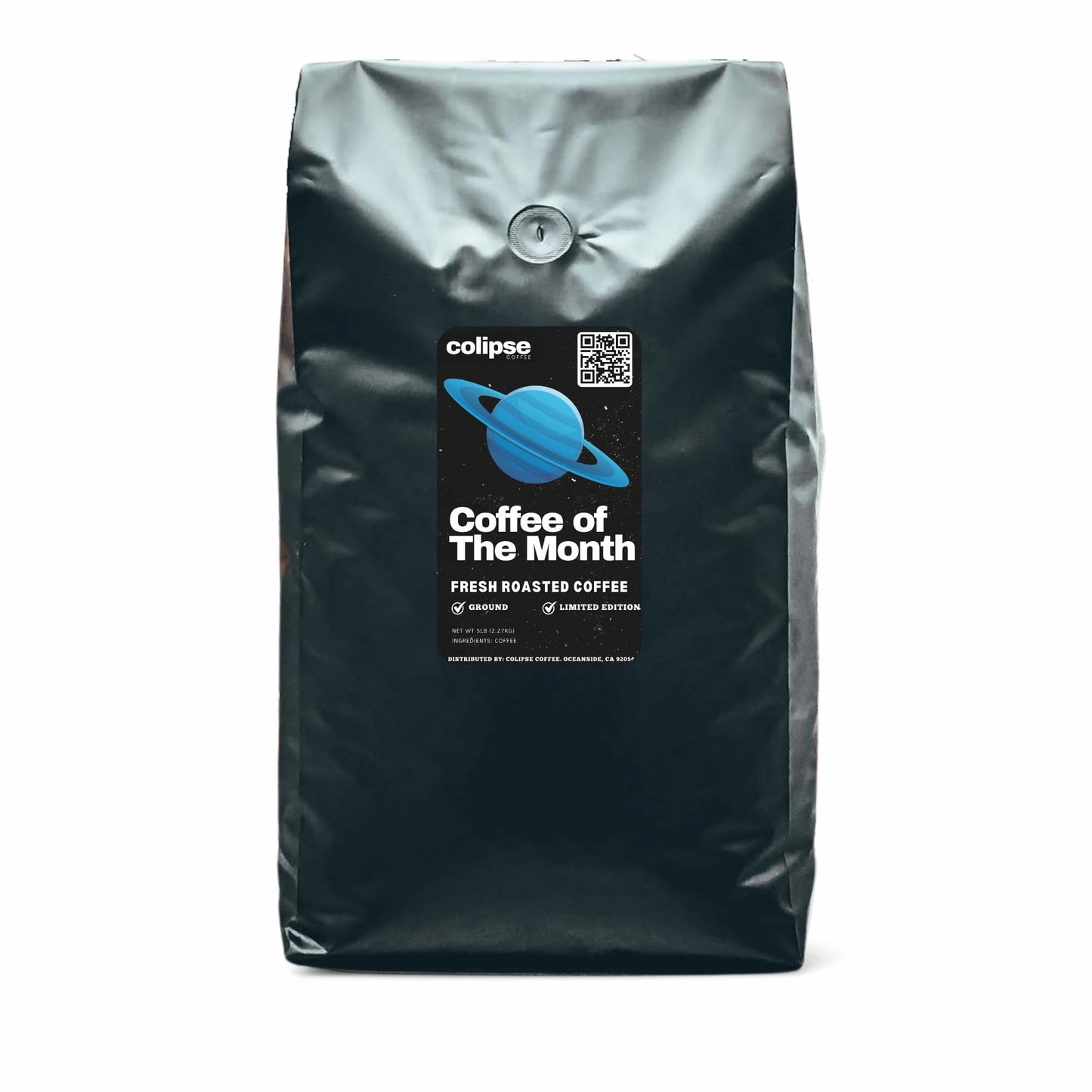
Colipse Coffee of the Month is an online coffee bean subscription service that delivers curated specialty coffee selections and limited edition single-origin coffees from around the world each month.
November Coffee Of the Month
REGION: Bajawa, Flores, Indonesia
PROCESSING: Wet-hulled (giling basah)
CERTIFICATION: Conventional
ROAST LEVEL: Medium/Dark
NOTES: Rich cocoa, subtle citrus and earthy undertones, with a smooth, full body.
Details
Details
Coffee of the Month by Colipse features a new single-origin coffee from a distinct coffee-growing region. Each selection comes from regions such as Rwanda, El Salvador, or Panama. These coffees are limited-edition, small-batch, rare micro-lots. These micro-lots include varieties such as Panama Geisha, India Monsoon Malabar, or Colombian Pink Bourbon. These coffees are available through the Colipse Coffee of the Month subscription box.
Previous Months Subscriptions
Previous Months Subscriptions
Colipse’s Coffee of the Month changes every month, and the list below shows the coffees featured in previous months.
- August: Rwanda
- Roast: Medium
- Region: Gatagara Village – Gakenke District, Rwanda
- Varietals: Local Bourbon Cultivars
- Grower: 836 farmers organized around Ruli Coffee Washing Station, Dukunde Kawa Coop
- Altitude: 1800–2100 MASL
- Soil: Volcanic loam
- Process: Fully washed and dried on raised beds
- Roast Level: Medium
- Certification: Rainforest Alliance, Fairtrade
- Flavor Notes: Papaya, passion fruit, apricot, lemon, caramel – bright, complex, and well balanced
- July: Sulawesi
- Roast: Medium Dark (just into second crack)
- Region: North Tana Toraja, South Sulawesi
- Varietals: Mixed local heirlooms
- Grower: Koperasi Puspeta Luwu Cooperative
- Altitude: 1100–2000 MASL
- Soil: Volcanic loam
- Process: Wet-hulled and sun-dried
- Flavor Notes: Full-bodied, low acidity, baker’s chocolate, nutty, smooth finish
- June: Nicaragua
- Roast: Medium
- Region: Peñas Blancas, Matagalpa
- Varietals: Catimor
- Farmer: Haroldo Altamirano (Finca La Flor)
- Altitude: 1,200 MASL
- Soil: Volcanic slopes of Peñas Blancas
- Process: Fully washed
- Flavor Notes: Maple syrup aroma, brown sugar, dark chocolate, almond, cocoa butter, orange, medium citrus acidity, nutty aftertaste
- May: Costa Rica
- Roast: Medium
- Region: San Ramón, Alajuela
- Varietals: Catuai, Caturra
- Growers: Julia Vega Rodríguez, Olman Cruz Vega, Ricardo Chávez Garita, Juan Bautista Mejia Rojas
- Altitude: 1,100 MASL
- Soil: Volcanic loam
- Process: Fully washed, sun-dried with mechanical assistance
- Flavor Notes: Apple, orange, peach, chamomile, hint of chocolate
How it Works
How it Works
Coffee of the Month by Colipse is delivered monthly. You can choose between 12 oz or 2 lb bags. Each bag is freshly roasted to order, vacuum-packed for peak freshness, and shipped within 5 days of your order.
Colipse Coffee Around the World Subscription Box includes free shipping, affordable pricing, and compatibility with any brewing method. It offers freshly roasted coffee in whole bean for specialty coffee drinks using super-automatic bean-to-cup machines, espresso machines, and home grinders.
It is also available pre-ground in coarse, medium, and fine grinds suitable for pour overs, drip filter, or moka pots. Ideal for those who want fresh coffee, loves to explore new coffees, or enjoys gifting.
The Colipse Coffee of the Month subscription works in 7 steps.
- Choose a subscription plan: 12 oz or 2 lb.
- Select your preferred grind size: fine (for espresso), medium (for pour over), or coarse (for French press).
- Enter your shipping details. Your coffee will be delivered every 30 days.
- Process your payment. You can choose between most credit or debit cards, as well as Apple Pay.
- Colipse roasts fresh beans, and the coffee is packaged.
- Delivery is made monthly on the same day of the month.
- Enjoy fresh coffee every month!
Delivery & Packaging
Delivery & Packaging
Get your Colipse coffee of the month subscription delivered free within the US when you sign up through our website.
To ensure maximum freshness, your coffee is roasted upon order placement and promptly vacuum-sealed inside a light, moisture, and air-resistant recyclable bag (complete with multi-layer film, CO2 valve, expandable base). It ships in 2 lbs bags, typically within 3-5 business days.




Frequently Asked Questions
Can I change my Coffee of the Month Subscription?
Adjust your Colipse coffee mail order subscription settings—like delivery timing or shipping address—using your account page or by contacting customer service.
How to update my Coffee of the Month Subscription?
- Log into your customer portal.
- Go to Account Details, then Manage Subscription.
- To choose a date: Click 'Set Next Order Date'.
- To ship next business day: Click 'Get It Now' for immediate processing.
How to skip my Coffee of the Month Subscription?
To pause your next delivery without canceling, access your customer portal, find "Manage Subscription" in Account Details, and click "Skip Next Order."
How to cancel my Coffee of the Month Subscription?
To cancel Colipse Coffee of the Month subscription follow the steps below.
- Log into the customer portal.
- Go to Account Details and select "Manage Subscription."
- Click "Cancel Subscription."
- Choose a reason.
- Confirm by selecting "Proceed to cancel your subscription."
How do I update my shipping information?
To update your shipping information for future coffee of the month deliveries follow the steps below.
- Log into the customer portal.
- Select "Manage Subscription" under Account Details.
- Click "Update My Info."
How do I update my payment methods?
Change your billing information securely by logging into your customer portal. Once in, go to Account Details, select "Manage Subscription," and then click "Update My Info" on your dashboard.