


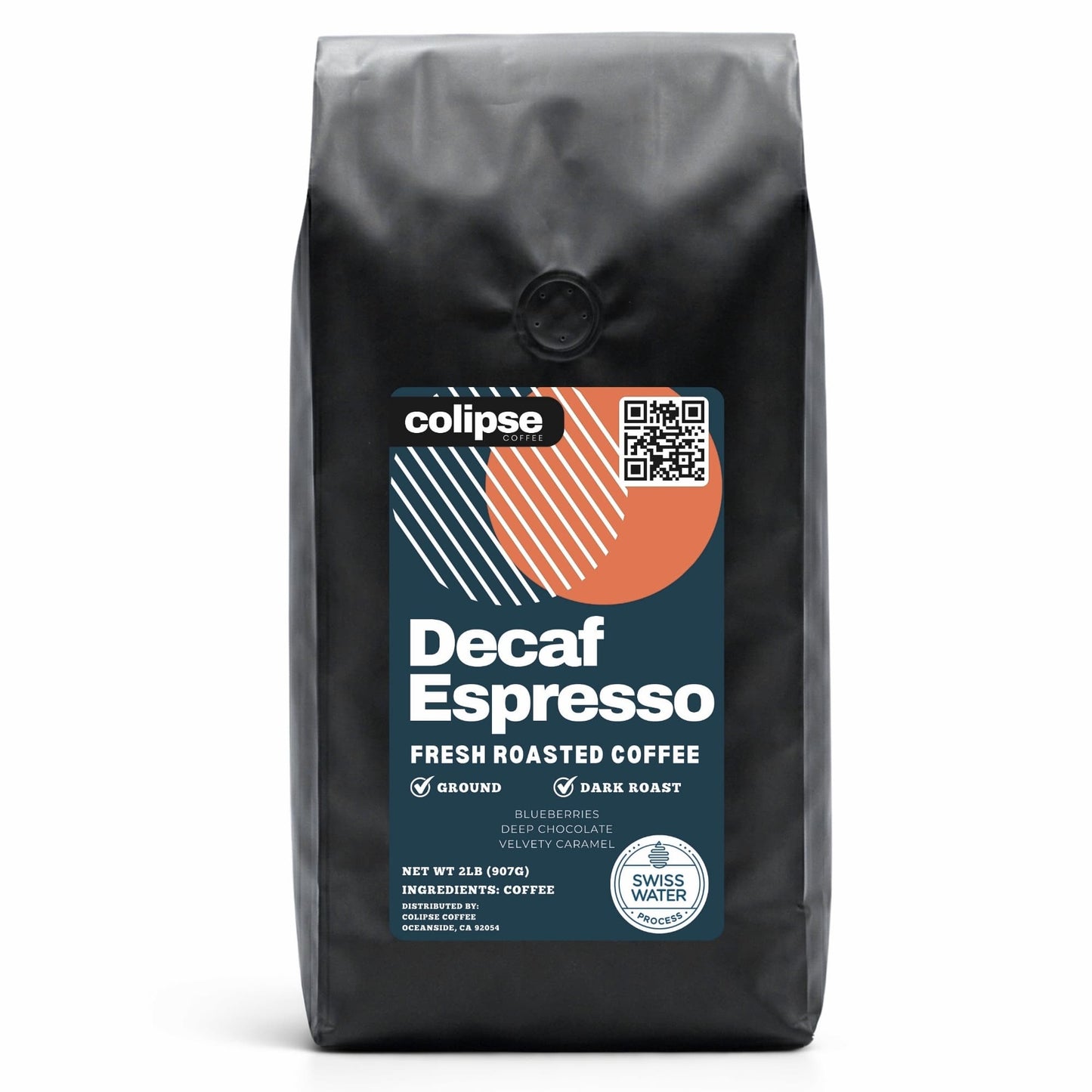
Decaf Coffee Subscription Swiss Water® Process - 2 lb
Decaf Coffee Subscription Swiss Water® Process - 2 lb
Couldn't load pickup availability
Colipse Decaf coffee subscription is a recurring delivery service that brings freshly roasted Swiss Water® Process decaf coffee beans to customers monthly or weekly.
About this Subscription
About this Subscription
Colipse Decaf coffee subscription is a recurring delivery service that brings freshly roasted Swiss Water® Process decaf coffee beans to customers monthly or weekly. It includes a 2 lb (907g) bag of specialty grade dark roast decaf coffee beans. The beans are hand-harvested for quality, fully washed, and decaffeinated using the chemical-free method. It is ideal for making delicious decaf coffee drinks using various coffee brewing methods, especially for those seeking solvent-free decaffeinated mail-order coffee beans.
Choose a decaf coffee subscription in whole bean or pre-ground form, ideal for specialty drinks made with espresso machines, super-automatic machines, or grinders, and suited to pour overs, drip filters, or moka pots. It is well-suited for super-automatic bean-to-cup machines from Jura, Saeco, or De’Longhi. Your decaf coffee subscription is roasted to order, vacuum-sealed to lock in freshness, and delivered within five days – ideal for those wanting the freshest brew, variety, or a great gift.
When you subscribe to decaf coffee delivery from Colipse you get free shipping, affordable pricing, and satisfaction guarantee. Customize your subscription experience by adjusting delivery intervals, skipping specific orders, or pausing your service temporarily. Choose your grind, update products, modify your delivery frequency, and use simple tools to pause or cancel shipments. Subscribe to the Colipse decaf coffee subscription service today and enjoy a premium coffee experience without the premium prices.
How it Works
How it Works
To sign up for a decaf coffee delivery subscription, follow these five steps below.
- Select your preferred grind: fine/espresso, medium/pour over, or coarse/French press.
- Provide your shipping information for delivery every 1 to 5 weeks.
- Make your payment using a credit card, debit card, or Apple Pay.
- Colipse roasts and packs your fresh beans.
- Expect to receive your decaf coffee either monthly or weekly on your chosen delivery date.
Delivery & Packaging
Delivery & Packaging
Get freshly roasted Colipse decaf coffee delivered monthly to your US address for free when you subscribe online.
Your 2 lb order ships within 3-5 days, vacuum-sealed in a recyclable bag for ultimate freshness.



Frequently Asked Questions
Can I change my Decaf Coffee Subscription?
Manage your Colipse decaf beans subscription details, like delivery schedule and shipping location, through your account page or by contacting customer support.
How to update my Decaf Coffee Subscription?
To update your decaf coffee bean delivery, please follow the steps below.
- Log in to the customer portal.
- Access your Account Details.
- Navigate to the Manage Subscription section.
- You can either schedule your next order using the 'Set Next Order Date' option or request immediate shipment (next business day) by selecting 'Get It Now'.
How to skip my Decaf Coffee Subscription?
To postpone your next decaf coffee shipment without subscription termination:
- Log in to your customer portal.
- Navigate to the Account Details section and locate "Manage Subscription".
- Select the "Skip Next Order" option.
How to cancel my Decaf Coffee Subscription?
To cancel your Colipse decaf coffee subscription plan, follow these 5 steps below.
- Access the customer portal via login.
- Navigate to 'Account Details' and subsequently select 'Manage Subscription'.
- Click on the 'Cancel Subscription' option.
- Indicate your reason for cancellation.
- Finalize the process by selecting 'Proceed to cancel your subscription'.
How do I update my shipping information?
Follow these 3 steps to update your shipping information for future decaf coffee deliveries.
- Log into the customer portal.
- Find "Account Details" and select "Manage Subscription."
- Click "Update My Info" to change your shipping address for upcoming decaf coffee orders.
How do I update my payment methods?
Change your billing information securely by following these 4 steps.
- Access your customer portal using your secure login credentials.
- Proceed to the area labeled "Account Details".
- Choose the option for "Manage Subscription".
- Locate and click "Update My Info" on your main dashboard view.