

Espresso Coffee Subscription - 2 lb
Espresso Coffee Subscription - 2 lb
Couldn't load pickup availability
Colipse Espresso subscription is a recurring service that delivers freshly roasted espresso beans to customers at regular monthly or weekly intervals.
About Espresso Subscription
About Espresso Subscription
Colipse Espresso subscription is a recurring service that delivers freshly roasted espresso beans to customers at regular monthly or weekly intervals. It suits espresso lovers who enjoy the convenience of regular, premium specialty coffee delivered right to their door. Colipse coffee subscription for espresso comes with free shipping, affordable pricing, and access to limited-edition espresso coffee from around the world.
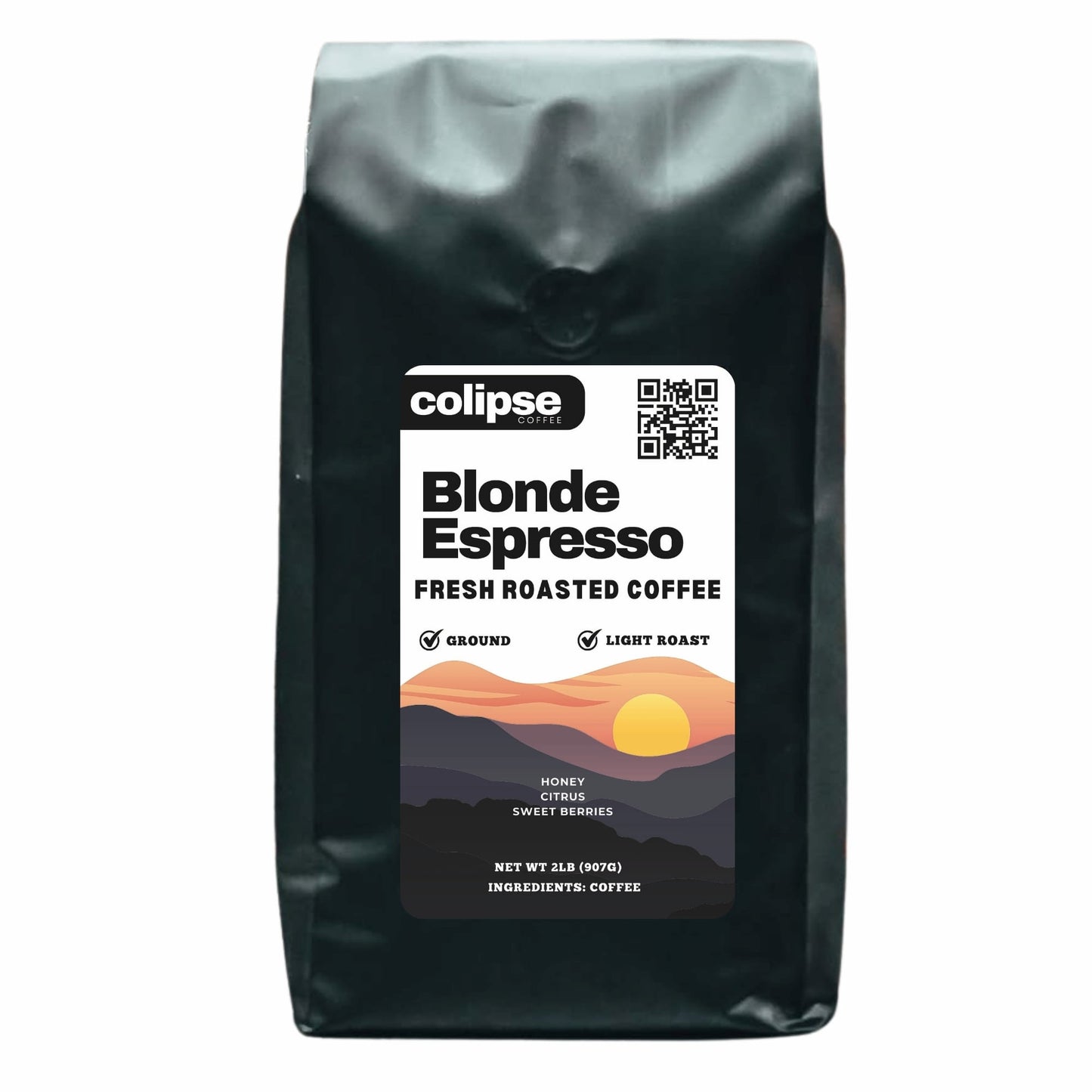
Choose from a variety of espresso beans based on their origin and roast level. Each online subscription box includes a 32 oz bag (2lb), available as whole beans or pre-ground in coarse, medium, or fine grinds for various espresso machines. Your freshly roasted-to-order espresso beans are vacuum-packed for freshness and delivered within 5 days, with recurring deliveries every 2 or 4 weeks. Customize your delivery frequency, quantity, and schedule.
Enjoy flexible espresso coffee delivery with a subscription that renews every two or four weeks and allows you to easily pause, skip, or cancel at any time. Subscribe to the Colipse espresso coffee delivery service online today and enjoy a premium coffee experience without the premium prices.
How it Works
How it Works
Colipse Espresso subscription works by offering you the flexibility to choose from three different espresso beans: Dark Roast Espresso Blend, Medium Roast Espresso (Espresso Crema), and Light Roast Espresso (Blonde Roast Espresso). All variants are available in 32-ounce (2 pounds or 907 grams) bags, and you can select your preferred grind size, from Whole Bean to Coarse, Drip, or Fine. You’ll then choose the quantity of bags you want, along with how often you’d like your deliveries—either every two weeks or every four weeks. It’s a simple and customizable way to enjoy fresh, high-quality espresso beans delivered directly to your door.
Delivery & Packaging
Delivery & Packaging
Get free delivery within the United States when you subscribe online to Colipse's espresso coffee beans or grounds.
To ensure maximum freshness, your coffee is roasted upon order placement and promptly vacuum-sealed inside a light, moisture, and air-resistant recyclable bag (complete with multi-layer film, CO2 valve, expandable base). It ships in 2 lbs bags, typically within 3-5 business days.




Frequently Asked Questions
Can I change my Espresso Coffee Subscription?
Manage your Colipse coffee mail order subscription by changing delivery schedules, selecting different espresso beans, or updating shipping info via your account page or customer service.
How to update my Espresso Coffee Subscription?
Update your next shipment by logging into your customer portal, selecting Manage Subscription under Account Details, and clicking Set Next Order Date. To ship it the next business day, click Get It Now to immediately process the order.
How to skip my Espresso Coffee Subscription?
Skip a shipment by logging into your customer portal, selecting "Manage Subscription" under Account Details, and clicking "Skip Next Order." This process pauses the upcoming delivery without canceling the subscription.
How to cancel my Espresso Coffee Subscription?
Cancel your subscription by logging into your customer portal, selecting “Manage Subscription” under Account Details, clicking “Cancel Subscription,” choosing a cancellation reason, and confirming by selecting “Proceed to cancel your subscription.”
How do I update my shipping information?
Update your shipping information by logging into your customer portal, selecting “Manage Subscription” under Account Details, and clicking “Update My Info.” These steps ensure your current shipping address is saved for future deliveries.
How do I update my payment methods?
Update your payment methods by logging into your customer portal, selecting "Manage Subscription" under Account Details, and clicking "Update My Info." This process allows you to securely change your billing information directly from your account dashboard.